Beyond These Stars Steam: Build Cities on Space Whales
Discover Beyond These Stars on Steam! Learn how to build a thriving city on a space whale, manage supply chains, and master gameplay.
Published: Beyond These Stars Wiki Editorial Team
Table of Contents
Introduction to Beyond These Stars on Steam
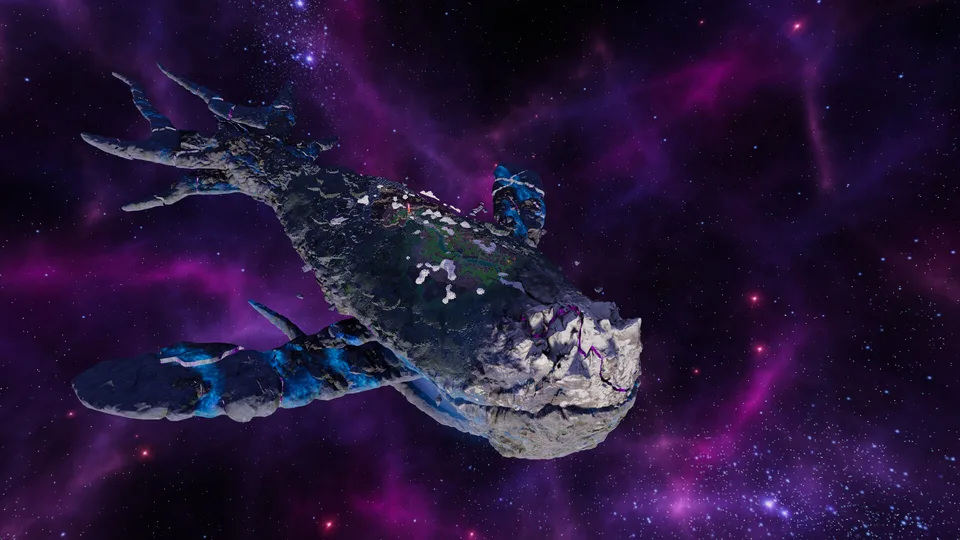
If you have ever wondered what it takes to build a thriving civilization on the back of a massive celestial creature, beyond these stars steam delivers that exact interstellar fantasy. Developed by Balancing Monkey Games and published by Hooded Horse, this unique city builder challenges you to balance the survival and prosperity of your people—affectionately called Peeps—with the delicate ecosystem of a living, breathing space whale. Right from the moment you launch beyond these stars steam, you are thrust into an intricate management simulation where every placement decision matters, making it crucial to understand resource loops before expanding too quickly.
Building a city on a moving, sentient habitat is no small feat. According to community reports and early player experiences, managing pollution and maintaining adjacency bonuses are the two primary hurdles that determine whether your colony flourishes or stagnates.
Understanding the Gameplay Mechanics and Tech Tree
The progression system in beyond these stars steam relies heavily on unlocking technologies through an extensive tech tree divided into categories such as agriculture, power, logistics, and terraforming. As you start your journey on Kewa, your initial setup involves placing basic structures like water pumps, potato patches, and housing huts next to roads.
To help you navigate the initial building phase, the table below outlines the core structures and their primary functions during the early game:
Building Name
Primary Function
Adjacency Effects & Notes
Water Pump
Produces essential water resources
Boosts nearby potato patch speed by 20%
Potato Patch
Generates primary food supplies
Increases yield when touching other patches, but lowers speed
Wood Cutter
Gathers raw wood from nearby trees
Yields +30% wood when placed near five or more trees
Burner Generator
Generates electricity using wood or waste
Creates power for adjacent buildings while producing soot
Strategic placement is vital because buildings interact with their immediate neighbors. Placing structures incorrectly can lead to reduced efficiency or increased pollution levels, which harms the fragile environment on Kewa's back.
Exploring Game Modes: Story versus Sandbox
When diving into beyond these stars steam, players can choose between a narrative-driven story mode and a highly customizable sandbox mode. The story mode guides you through a fully voiced tutorial, teaching you how to manage idle peeps, set work shifts, and handle unexpected environmental hazards like toxic areas.
For players who prefer unrestricted creativity, the sandbox mode offers powerful toggles. Based on player feedback from early access previews, sandbox settings allow you to customize toxic tile generation or even enable instant construction and unlock all buildings from the very beginning.
Story Mode
Offers a structured narrative experience with guided tutorials, event pop-ups, and technology tree progression to help you learn resource management step by step.
Sandbox Mode
Provides complete freedom with adjustable difficulty, resource multipliers, and options to instantly construct buildings without consuming materials.
Managing Pollution and Environmental Balance
One of the most engaging aspects of beyond these stars steam is its emphasis on ecological balance. Industrial buildings like ore smelters and toolsmiths generate significant amounts of pollution, soot, and slag. If left unchecked, these byproducts ruin the local habitat and stunt your colony's growth.
Monitor Pollution: Keep heavy industry away from residential areas and housing huts.
Utilize Cleaners: Build cleaners near industrial zones to actively scrub soot and slag from nearby tiles.
Plant Trees: Maintain forests and use green spaces to help spread clean air and support expansion.
Build Outposts: Establish external outposts on nearby planets to gather resources without overwhelming Kewa's ecosystem.
According to community reports, balancing industrial output with environmental sustainability is the ultimate test for veteran city-builder enthusiasts. For more details on the official release, check out the Beyond These Stars Steam Store Page.
Frequently Asked Questions
Is Beyond These Stars available on Steam?
Yes, beyond these stars steam is officially available for PC players, featuring full controller support, Steam achievements, and cloud saving capabilities.
Can I play Beyond These Stars without dealing with the tech tree?
If you play in sandbox mode, you can toggle the "Unlock All Buildings" option in the difficulty settings to bypass the standard technology tree progression entirely.
How do I get more citizens (Peeps) in my city?
You can grow your population by building enough housing huts and constructing a school within range of your residential areas to encourage growth.